A faster way to open your Transferra account
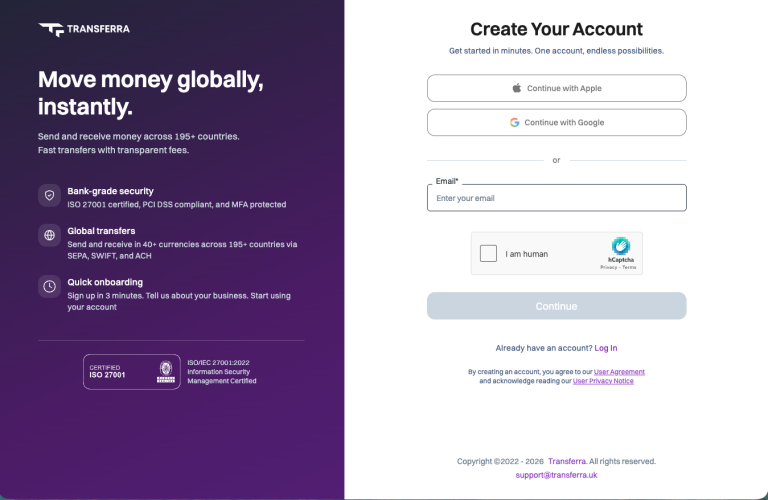
We’ve rebuilt how you open a Transferra account. Registration now takes a few short steps: sign in with Apple, Google or your email, confirm it with a code, set a password, and choose the account you need. Verification starts straight after.
We’ve rebuilt how you open a Transferra account. Registration now takes a few short steps: sign in with Apple, Google or your email, confirm it with a code, set a password, and choose the account you need. Verification starts straight after.
Here’s what has changed and what to expect at each step.
The new sign-up, step by step
- Create your login. Go to cabinet.transferra.uk/registration and choose how to sign up: continue with Apple, continue with Google, or enter your email address. A quick “I am human” check keeps automated sign-ups out.
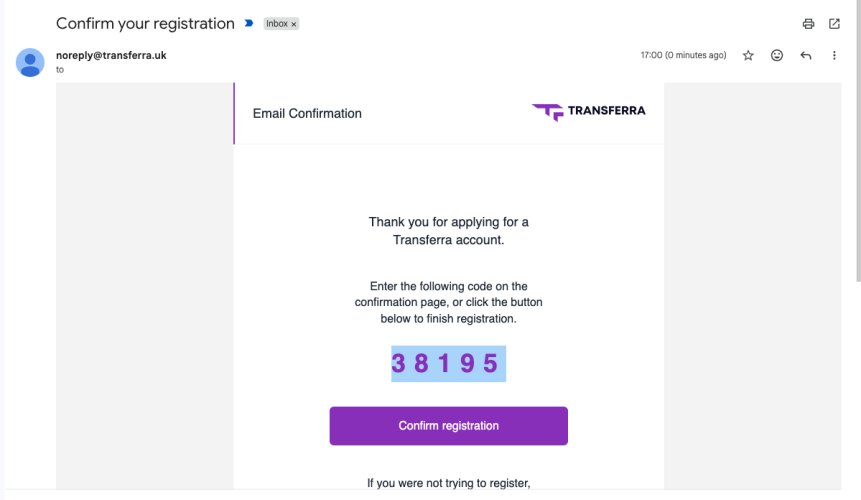
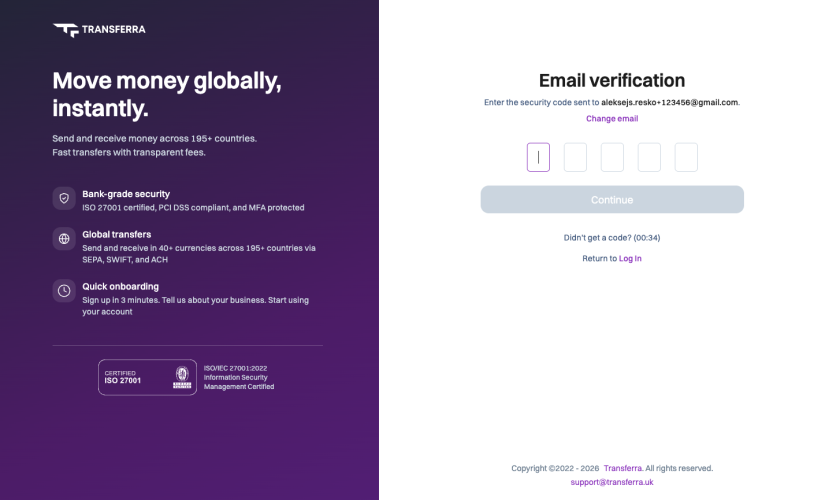
- Confirm your email. We send a five-digit code to your inbox. Enter it on the verification page, or click Confirm registration in the email. If the code doesn’t arrive, you can request a new one after a short countdown, or change the email address you entered.
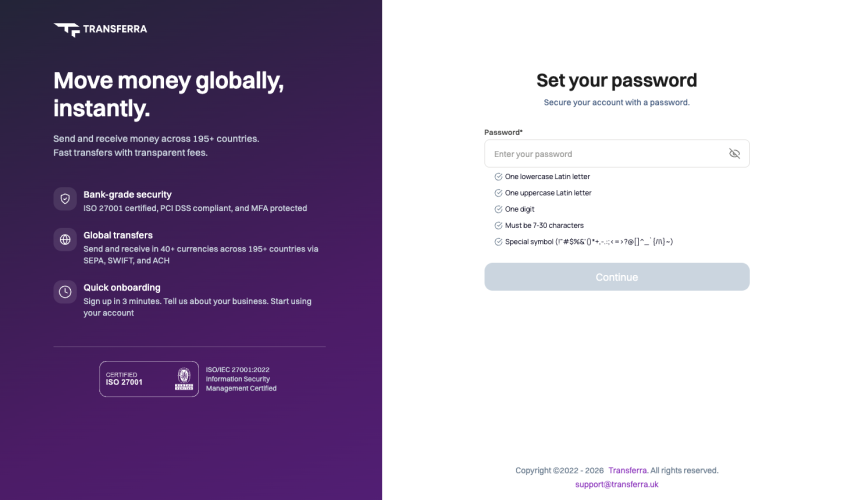
- Set your password. Your password needs 7 to 30 characters, with at least one lowercase and one uppercase Latin letter, one digit and one special symbol. Each requirement is listed under the field, so you can see what’s still missing before you continue.
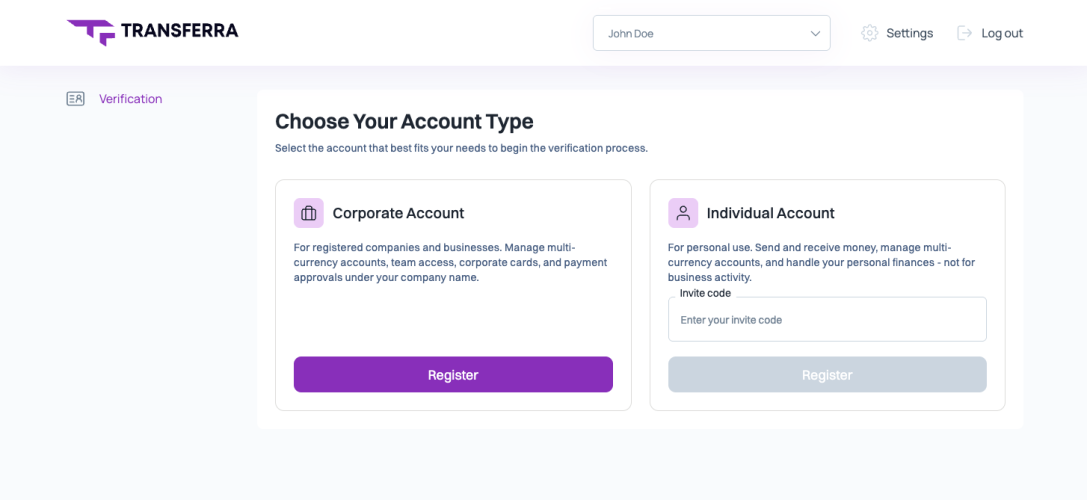
- Choose your account type. Pick a Corporate or an Individual account (more on the difference below).
- Start verification. Once you’ve chosen, you go straight into verification and tell us about your business or about yourself.
Most people get through the first four steps in about three minutes.
Security at every step
A shorter sign-up doesn’t mean fewer checks. Each step protects your account from the start:
- Human check at sign-up filters out bots and automated registrations.
- Email confirmation makes sure the address belongs to you before an account is created.
- Password rules set a minimum standard for every account.
- Apple and Google sign-in let you use an identity you already protect, without creating another password to remember.
Behind the registration flow, Transferra is ISO/IEC 27001:2022 certified for information security management, PCI DSS compliant, and protects accounts with multi-factor authentication.
Corporate or Individual: which account to choose
After you set your password, you choose the account that fits how you’ll use it.
| Corporate Account | Individual Account | |
|---|---|---|
| Who it’s for | Registered companies and businesses | Personal use, not business activity |
| What you can do | Multi-currency accounts, team access, corporate cards, payment approvals under your company name | Send and receive money, multi-currency accounts, personal finances |
| How to start | Click Register | Enter your invite code, then click Register |
Individual accounts currently open with an invite code. If you don’t have one, ask your Transferra contact or write to support@transferra.uk.
Already a client?
Nothing changes for you. Log in at cabinet.transferra.uk as usual.
Ready to start?
Open a British account for international business and send and receive in 40+ currencies across 195+ countries via SEPA, SWIFT and ACH. Create your account – and if you have questions along the way, we’re at support@transferra.uk.

